 |
Clear key: clearing all calculating registers, except for the memory register. |
 |
Clear entry key: clear the immediate entry (only) |
 |
Delta percentage key: obtain an increase or decrease ratio (change in percentages). For example, sales for last year were $10,000. And for this year they are $12,000. Using this key, you can determine that there was a 20% increase in sales. |
 |
Division key |
 |
Decimal point key |
 |
Hash key: non-add key, used to print numbers not part of the calculation. The diamond key displays subtotals |
 |
Konstant key, used for performing multiplication and division by a constant number. With multiplication the first number is the constant. with division the second number is the constant. |
 |
Memory plus equal key: used for obtaining a calculation result (for multiplication and division only) and adding the result automatically to memory. This key is also used to add a number directly to memory. |
 |
Memory minus equal key (yellow): Used for obtaining a result (for multiplication and division only) and subtracting the result automatically from memory. When a negative number Is entered in minus memory, the result is a positive entry. |
 |
Minus key |
 |
Mark up/down: Used for performing mark up {profit) and mark down calculations. |
 |
Paper feed |
 |
Plus key |
 |
Plus/minus key: Used for performing percentage calculations. Convenient for Add-on and Discount calculations. For example: 200 x 20% gives you 40.00, then if you press the “+” (plus key), you will get 240.00. This saves the time of having to manually add 40.00 to 200.00. The same works in reverse using the “-“ (minus key). 200 x 20% gives you 40.00, then press the “-“ (minus key), you will get 160.00. |
 |
Memory subtotal key: Provides a temporary total for the contents of the memory. |
 |
Total/equals key: Used to obtain a calculation result. |
 |
Memory total key: Provides a Grand Total of what is in the memory. |
 |
Multiply key |
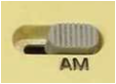 |
Accumulation switch: When this switch is set at the AM position, entries or calculation results are automatically accumulated In the memory every time the”*/=” key is pressed (also known as summation). |